



Healthcare systems are not designed for one type of user. They serve healthcare providers, healthcare professionals, administrative staff, product managers, and individual consumers – all within the same ecosystem. Each group works with different goals, workflows, and levels of complexity.
This is where role-based UX becomes critical.
In healthcare design, a single interface is rarely enough. Doctors need fast access to clinical data and medical diagnostics. Admins rely on structured workflows, compliance tracking, and system-level control. Patients focus on understanding their care, making decisions quickly, and navigating complex information without confusion.
Without role-based UX, healthcare systems become overloaded with unnecessary complexity. Users are forced to filter irrelevant information, which increases cognitive load and slows down critical tasks. In high-stakes environments like medical care, this directly affects efficiency, accuracy, and user satisfaction.
Modern healthcare UX must adapt to different contexts of use. Enterprise software used in hospitals and clinics need to support multiple roles within the same system while maintaining clarity and consistency. This requires strong information architecture, clear interaction design patterns, and well-structured user interfaces that scale across roles.
Effective healthcare design turns raw medical data and patient data into structured, role-relevant experiences. When done well, it helps users complete tasks faster, reduce errors, and focus on what matters most – patient outcomes and operational efficiency.
As healthcare continues to evolve with new technologies and increasing amounts of data, the ability to design for multiple roles is no longer optional. It is a core requirement of good UX in complex systems.
Key challenges in multi-role healthcare systems UX
Designing UX for healthcare systems is especially challenging because enterprise UX must support multiple user groups within the same enterprise software while maintaining clarity, safety, and efficiency. In the healthcare sector, UX designers face complex constraints where user expectations, regulatory rules, and real-world medical workflows all intersect.
Key challenges in multi-role healthcare UX:
- Balancing different user needs in one system Healthcare providers, administrators, and patients all interact with the same enterprise applications, but their user needs and healthcare experience are completely different. This creates constant tension in UX design decisions.
- Complexity of enterprise environments Enterprise products in healthcare rely on legacy systems, multiple software tools, and deeply integrated enterprise software ecosystems. Enterprise UX design must ensure consistency across fragmented systems.
- Data-heavy interfaces and visualization challenges Data visualization must make vast amounts of medical data and operational data understandable at a glance. Poor structure increases cognitive load and reduces decision quality.
- Regulatory and compliance constraints Healthcare UX must follow strict regulatory constraints such as accountability act requirements, data protection rules, and security standards, which heavily influence the design process.
- Error prevention in high-risk environments In healthcare systems, even small UX issues can lead to serious consequences. UX designers must prioritize error prevention through validation, clear flows, and structured interaction design.
- Understanding real users across roles A deep understanding of users is required to design for both tech savvy professionals and non-technical users. UX professionals must continuously align design decisions with real user needs.
- Fragmented design processes and systems complexity Enterprise applications often evolve over time, leading to inconsistent design patterns. The design team must maintain structure while adapting to emerging trends and cutting edge technology.
- High expectations for usability and speed Users focus on efficiency, especially in healthcare settings where time matters. This increases pressure on UX designers to simplify complex systems without losing functionality.
- AI-driven complexity and opportunity Modern healthcare UX increasingly integrates AI to improve data handling and decision-making. AI can enhance data visualization, surface anomalies, and support predictive workflows, but it also introduces new UX challenges around transparency and trust.
Designing UX for doctors: fast, focused, and clinical-driven workflows
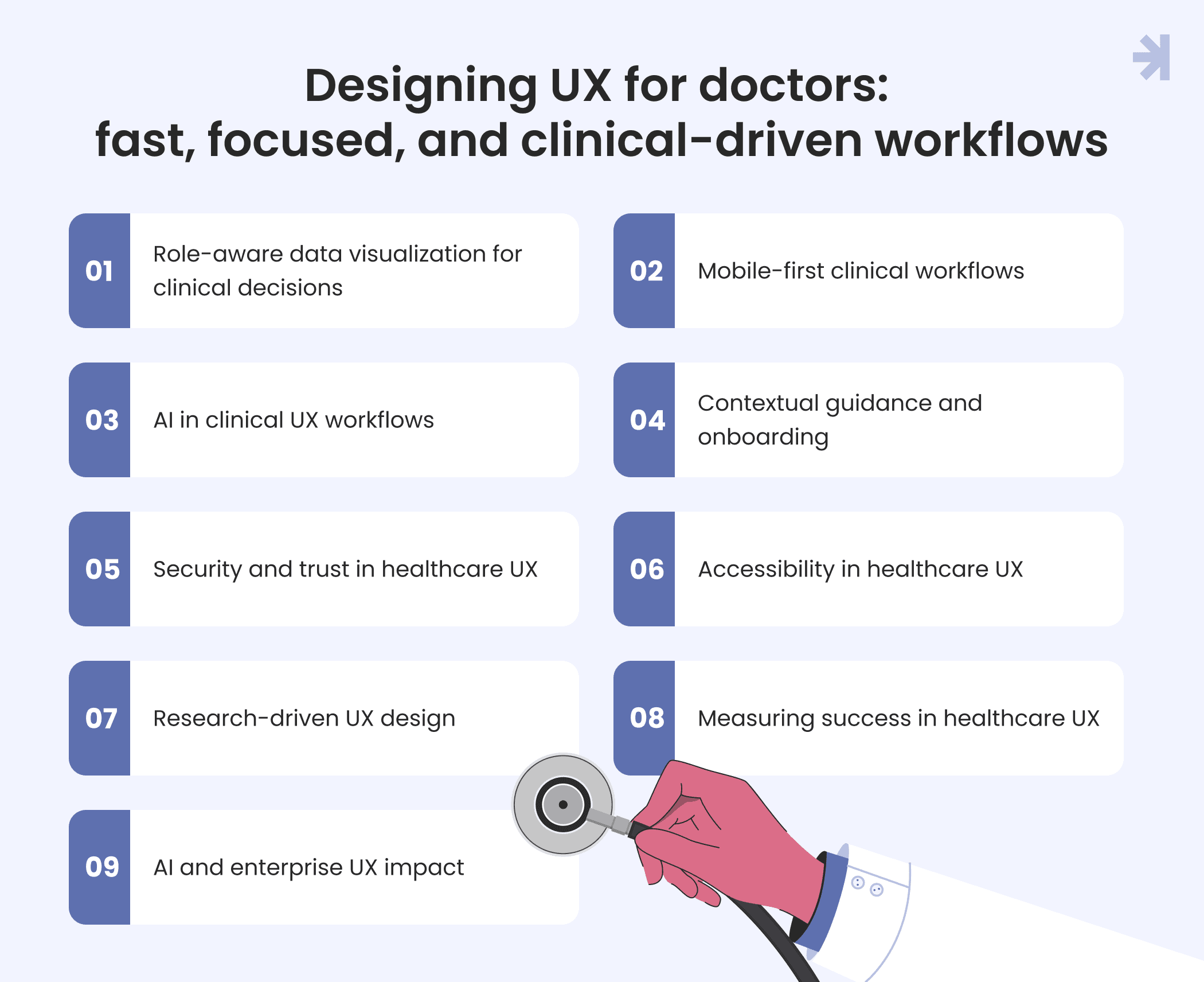
Designing UX for doctors in healthcare UX means optimizing enterprise software for speed, accuracy, and clinical decision-making. Healthcare providers work in high-pressure settings where every action impacts outcomes, so enterprise UX design must reduce friction and cognitive load.
Role-aware data visualization for clinical decisions
In enterprise applications, data visualization must be role-aware.
For doctors this means:
- prioritizing critical medical data
- surfacing anomalies in patient data
- translating raw data into clear, actionable insights
- supporting fast interpretation of medical information
Good data visualization reduces cognitive load and lowers error rates by making key information easier to notice and act on.
Mobile-first clinical workflows
Healthcare UX must support real clinical workflows across devices.
Key principles:
- mobile apps optimized for healthcare settings
- clear visual hierarchy for fast scanning
- plain language in interfaces
- quick access to patient information
This ensures enterprise software fits into clinical environments without slowing down work.
AI in clinical UX workflows
AI is increasingly part of enterprise healthcare UX.
It enables:
- real-time personalization based on clinical context
- predictive workflows that suggest next actions
- anomaly detection in medical data
- faster analysis of large healthcare datasets
AI also improves healthcare UX research by linking data patterns with user behavior and reducing cognitive load for healthcare professionals.
Contextual guidance and onboarding
Enterprise UX design should support users inside enterprise applications.
Key components:
- contextual help when needed
- progressive onboarding for multi-step tasks
- clear guidance in workflows
This helps users complete tasks more efficiently.
Security and trust in healthcare UX
Healthcare UX must ensure safety when working with sensitive data.
Key requirements:
- secure authentication and visible privacy settings
- clear indicators when handling sensitive data
- real-time validation for inputs
- confirmation for high-risk actions
These patterns help prevent mistakes and protect patient data.
Accessibility in healthcare UX
Enterprise UX designers must ensure accessibility for diverse users.
This includes:
- high-contrast interfaces
- scalable text
- screen reader support
- usability for different technical levels
Accessibility is essential in healthcare UX.
Research-driven UX design
UX designers must rely on real user behavior.
Key methods:
- usability testing in health settings
- user testing with healthcare providers
- past research and behavioral data
- continuous validation with real users
This ensures the system matches real needs and workflows.
Measuring success in healthcare UX
Success in enterprise healthcare UX is not engagement.
It is:
- productivity
- accuracy
- operational impact
- reduction in error rates
Good UX helps users complete tasks faster and with fewer mistakes.
AI and enterprise UX impact
AI improves healthcare UX by:
- speeding up the analysis of medical data
- supporting clinical decision-making
- reducing cognitive load in enterprise tools
- improving interaction design in complex workflows
It helps healthcare providers work faster and focus on patients.
Designing UX for admins: data-heavy dashboards and system control
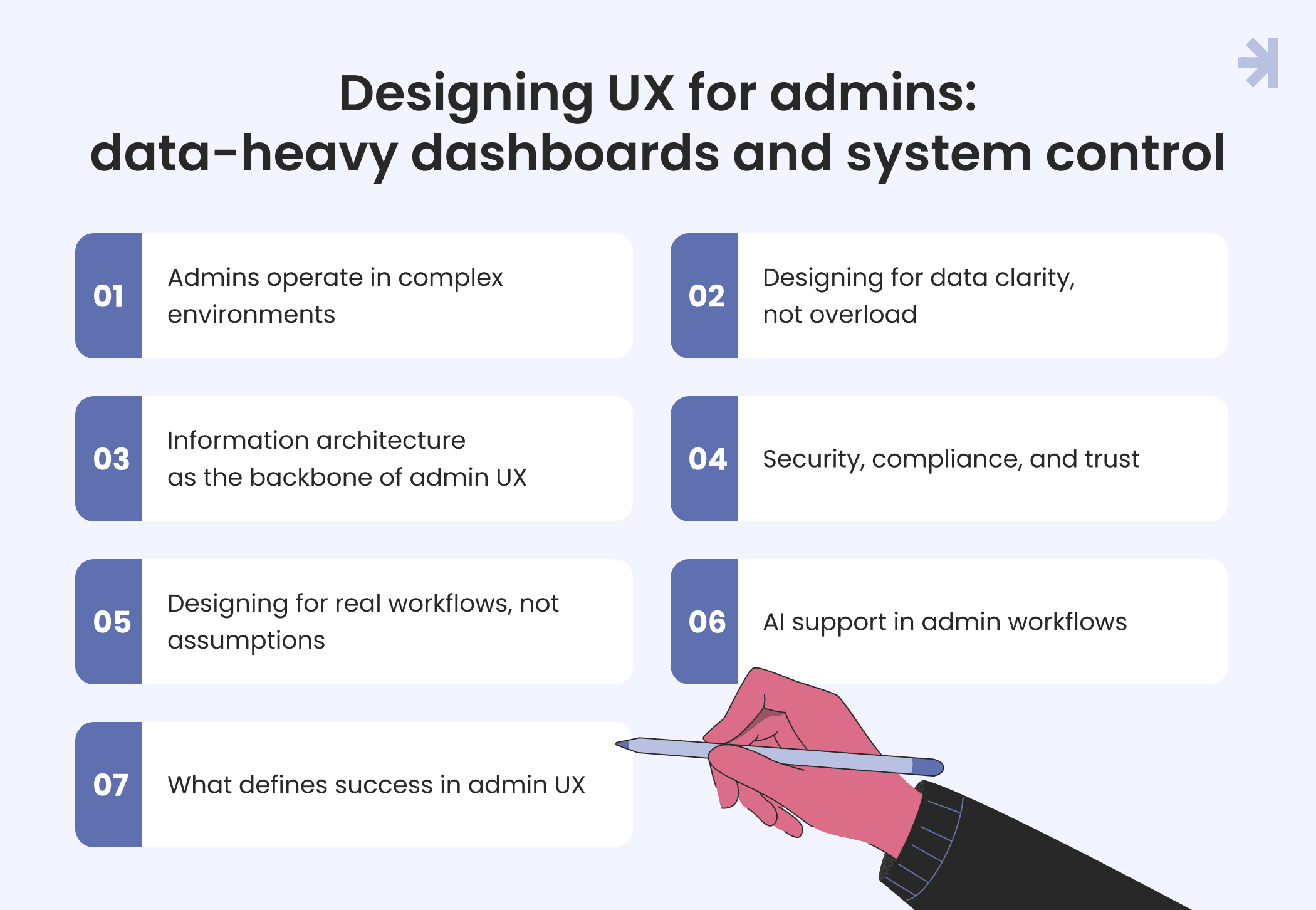
Admin UX in healthcare focuses on control, structure, and clarity inside complex enterprise space. Unlike patients or clinical staff, admins manage operations, access, and system-wide data across healthcare platforms. Their work directly impacts how smoothly healthcare services run, so the UX must support accuracy, speed, and confidence.
Admins operate in complex environments
Admin tools are not like consumer apps. They sit inside enterprise software used across healthcare systems and often connect multiple services, tools, and data sources.
Typical responsibilities include:
- managing system configuration and access
- monitoring operations and performance
- handling large volumes of structured data
- supporting different user groups
This makes admin UX one of the most demanding areas in healthcare UX.
Designing for data clarity, not overload
Admins work with large amounts of information every day. The main UX challenge is turning it into something readable and actionable.
Effective dashboards:
- highlight what needs attention first
- surface anomalies without extra effort
- group information in clear, logical structures
- reduce time needed to make decisions
Good data visualization is not about showing more. It is about showing the right information at the right time.
Information architecture as the backbone of admin UX
For admin systems, information architecture is critical. Without it, even well-designed interfaces become unusable.
Strong structure helps:
- reduce complexity in multi-step workflows
- make large systems easier to navigate
- keep related information grouped logically
- prevent users from getting lost in deep enterprise layers
This is especially important in healthcare systems where mistakes can affect real operations.
Security, compliance, and trust
Admin interfaces often handle sensitive data, so security is not optional. It is part of UX.
Key expectations include:
- clear access control and permissions
- visible indicators of secure actions
- compliance with healthcare regulations
- protection of sensitive medical data
UX must make these systems feel safe without making them harder to use.
Designing for real workflows, not assumptions
Admin UX must be based on how people actually work, not how we assume they work.
This requires:
- understanding different admin roles
- continuous feedback from healthcare environments
- adapting to existing system constraints
Many healthcare platforms also sit on legacy systems, so UX improvements often happen gradually, not from scratch.
AI support in admin workflows
AI is increasingly used to support healthcare admins, especially in enterprise systems.
It helps by:
- detecting unusual patterns in system
- suggesting next actions in workflows
- reducing time spent analyzing large datasets
- simplifying monitoring tasks across systems
Used well, AI reduces cognitive load and helps admins focus on decisions instead of manual monitoring.
What defines success in admin UX
In enterprise healthcare UX, success is not about engagement. It is about outcomes.
Good admin UX improves:
- speed of completing tasks
- accuracy of decisions
- stability of healthcare operations
- reduction of system-level errors
If admins can manage complex systems with less effort and fewer mistakes, the UX is working.
Designing UX for patients: clarity, trust, and accessibility
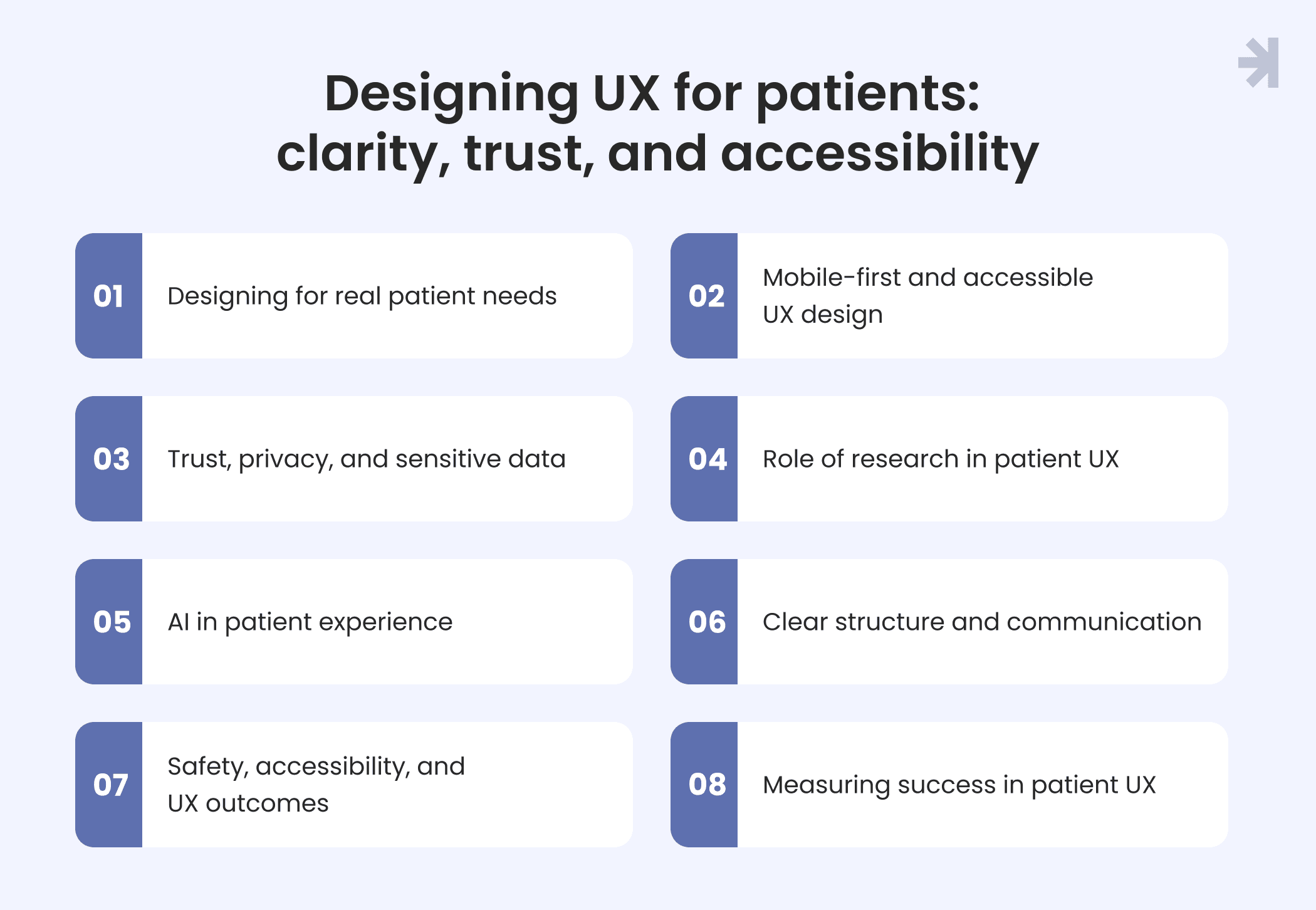
Patient-facing UX in healthcare focuses on clarity, trust, and accessibility. Unlike enterprise products used by healthcare professionals, patient-facing systems must prioritize simplicity while still handling sensitive medical data and complex healthcare flows.
Designing for real patient needs
Patients are end users with very different expectations compared to clinicians or admins. They often interact with healthcare systems during stressful or emotional moments, which creates specific challenges for UX design.
Key considerations:
- reducing complexity in patient journeys
- supporting emotional and cognitive load
- ensuring clear understanding of medical information
- guiding users through multiple steps without confusion
Mobile-first and accessible UX design
Mobile-first design ensures that applications are optimized for the small screens frequently used in healthcare settings. This is especially important for patients who primarily access healthcare services through mobile apps.
Accessibility is essential:
- high-contrast color schemes improve readability
- scalable text supports users with visual impairments
- clear layouts reduce cognitive effort
These improvements directly support UX design and more inclusive digital experiences.
Trust, privacy, and sensitive data
Patients need to feel safe when interacting with healthcare systems.
Key UX design requirements:
- visible privacy settings and secure authentication
- clear handling of sensitive data
- compliance with health insurance portability regulations
- transparent communication of how data is used
The sensitive nature of medical data requires designers to provide security and privacy while maintaining a user-friendly interface, which is one of the most important specific challenges in healthcare.
Role of research in patient UX
A strong design process is essential to understand real patient behavior. Enterprise UX designers rely on research methods to validate assumptions and improve user flows.
This includes:
- analyzing patient feedback
- identifying pain points in patient portal usage
- continuous iteration based on research insights
AI in patient experience
AI is increasingly shaping modern healthcare UX design.
It enables:
- real-time personalization based on patient needs and context
- predictive workflows that guide users through care steps
- faster analysis of patient data for better healthcare UX research
- highlighting anomalies or critical moments in patient journeys
This improves clarity and reduces cognitive load for patients.
Clear structure and communication
Good UX in patient portals depends on how information is presented. Effective data visualization in enterprise UX turns raw data into clear, understandable insights so patients can make informed decisions about their care.
Key UX principles:
- plain language communication
- clear navigation in patient portals
- step-by-step guidance through healthcare processes
- reducing unnecessary complexity in enterprise products
Safety, accessibility, and UX outcomes
Healthcare UX must prioritize safety, clarity, and trust. Systems should actively prevent user errors through validation and clear feedback, especially when dealing with sensitive medical actions.
Effective UX design in healthcare should:
- reduce errors in patient interactions
- improve understanding of medical information
- ensure accessibility for diverse users
- support better health outcomes, including reduced readmissions through patient-friendly design
Measuring success in patient UX
In healthcare UX design, success is not engagement. It is outcomes.
For patient-facing systems, success means:
- improved understanding of health information
- fewer user mistakes
- higher trust
- better adherence to care instructions
Balancing different user needs in one system
One of the hardest parts of healthcare UX design is that the system is never used in just one way. The same product has to support completely different contexts at the same time, without breaking the overall logic of the experience.
This creates a constant trade-off in enterprise UX design: what helps one group can easily slow down another. UX designers have to decide what stays visible, what is simplified, and what changes depending on the user.
To make this manageable, systems usually rely on clear separation of flows:
- patient-facing flows prioritize clarity and reassurance
- clinical flows prioritize speed and precision
- administrative flows prioritize structure and control
The challenge is not only functional, but also emotional. Patients often interact with healthcare systems during stressful moments, while professionals operate under time pressure and high responsibility. Designing for both requires careful control of tone, structure, and interaction depth.
Another layer of complexity comes from consistency. Even when experiences differ, the system still has to feel like one product. That means shared patterns, predictable navigation logic, and stable interaction models across enterprise products.
Modern healthcare UX also has to account for adaptive behavior. Interfaces increasingly change based on context, showing different levels of detail or different decision paths depending on who is using the system and why. This reduces unnecessary complexity without fragmenting the product.
In practice, balancing user needs is less about adding features and more about deciding what each role should not see.
Core UX principles for role-based healthcare systems
- Role-based healthcare UX focuses on building systems that stay clear, consistent, and reliable across different user groups and workflows in healthcare systems.
- Enterprise UX design should start with user research across multiple roles to understand the specific needs, workflows, and pain points of different user groups, ensuring that the software meets diverse requirements.
- Healthcare UX must work across both fast clinical workflows and emotionally sensitive patient experiences, integrating into the hectic workflows of professionals and the emotional states of patients.
- Design should be based on real user behavior, not assumptions.
- Consistency must be maintained across roles and workflows to avoid confusion in enterprise systems.
- Clarity should be prioritized in high-pressure healthcare contexts where decisions are time-sensitive.
- Trust is essential when handling sensitive medical data in healthcare environments.
- Interfaces should adapt to context instead of overloading users with unnecessary information.
- Visualization in enterprise applications should be role-aware, presenting data differently based on the user's function, such as IT administrators focusing on system uptime and HR managers on compliance metrics.
- AI-driven personalization in healthcare adapts experiences in real time, reducing cognitive load and helping users understand complex healthcare data faster through predictive insights.
- Measuring success in enterprise UX should focus on productivity, accuracy, and operational impact rather than engagement, as the goal is to improve real-world outcomes.
Role-based UX in practice: Tiro.health
Tiro.health, a HealthTech startup building a platform for medical documentation, came to MagicFlux with a problem familiar to most healthcare enterprises: the same system had to serve completely different users – junior nurses building forms, doctors completing them under time pressure, and admins managing the whole operation. Each role had different goals, different mental models, and different tolerance for complexity.
The existing product treated them the same. The result was friction across the board. We started with discovery: mapping real workflows, running interviews with clinical staff, and identifying where the experience was breaking down for each role. What we found challenged an early assumption – speed wasn't the only thing doctors cared about. Clarity, error prevention, and trust in the system mattered just as much.
From that research, we designed two distinct core experiences within the same platform: a drag-and-drop form builder for nursing and admin staff, built around structured templates, presets, and conditional logic; and a streamlined form filler for doctors, optimized for keyboard-first interaction and AI-assisted data entry. Both shared the same underlying design system, ensuring consistency across roles without forcing the same interface on users with fundamentally different needs.
The outcomes were measurable. Doctors completed medical forms up to 20% faster. Junior staff reduced form creation time by approximately 30%, without needing developer support. A shared, WCAG-compliant design system accelerated development time by around 25% and made the product accessible across user groups with different abilities and technical levels.
The Tiro.health project is a practical example of what role-based healthcare UX actually looks like when it's grounded in research rather than assumptions.
Common UX mistakes in role-based healthcare platforms
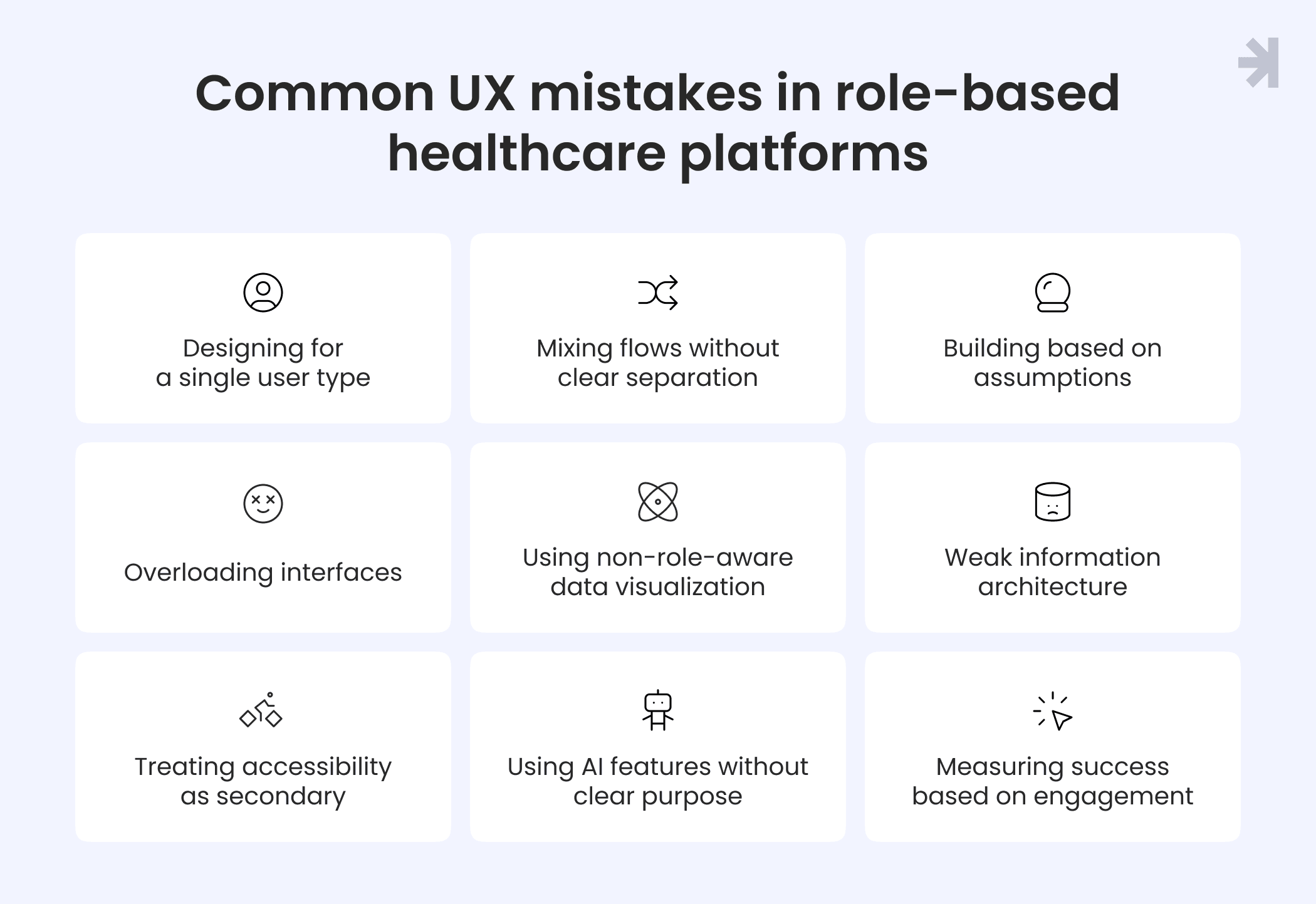
Role-based healthcare systems are complex by nature. They serve multiple user groups, operate under strict constraints, and handle sensitive data at scale. Because of this complexity, UX issues rarely come from missing features. They come from poor structure, unclear priorities, and lack of role awareness in design decisions.
Most problems appear when teams try to design one “universal” experience instead of separating how different users think, work, and make decisions inside healthcare systems.
- Designing for a single user type instead of multiple roles, which leads to systems that feel inconsistent and overloaded in real healthcare workflows.
- Mixing patient, clinical, and administrative flows without clear separation, forcing users to constantly switch contexts and increasing cognitive load.
- Building based on assumptions instead of real research, which results in enterprise UX that does not match actual healthcare practices.
- Overloading interfaces with too much information, making it harder to identify what is important in medical and operational data.
- Using non-role-aware data visualization, where all users see the same dashboards instead of tailored views that support their specific responsibilities.
- Weak information architecture, where even simple actions require unnecessary navigation and multiple steps.
- Treating accessibility as secondary, which reduces usability for diverse end users in real healthcare environments.
- Using AI features without clear purpose, adding complexity instead of reducing cognitive load or improving decision-making.
- Measuring success based on engagement rather than productivity, accuracy, and real-world outcomes in healthcare UX.
Work with a healthcare UX team that's done this before
If you're building or improving a healthcare product that serves more than one type of user, the design decisions you make early will shape how well the system works for everyone – clinicians, admins, and patients included.
MagicFlux specializes in healthcare UX for complex, multi-role systems. We start with real research, design around actual workflows, and deliver results that are measurable, like the 20% faster form completion and 30% reduction in form creation time we achieved for Tiro.health.
Ready to talk about your product? Get in touch and we'll figure out where to start.

How do we know if our healthcare system needs a role-based UX redesign?
The clearest signals are when different user groups complain about the same system for opposite reasons – clinicians say it's too slow, patients say it's too complex, admins say it's too hard to navigate. Other signs include high error rates in specific workflows, low adoption of certain features, or users creating workarounds (like keeping separate spreadsheets alongside the system). A UX audit is usually the fastest way to identify where role separation has broken down and what's causing the most friction.
Do you work with existing healthcare systems, or only greenfield products?
Most healthcare UX work happens on existing systems – legacy platforms, inherited products, or tools that have grown organically over years. Starting from scratch is rare. We typically work within existing constraints, identifying where role-based improvements can be made incrementally without requiring a full rebuild.
How do you conduct user research with healthcare professionals who have very limited time?
Clinical staff and admins rarely have time for traditional research sessions. We use a mix of contextual observation (shadowing real workflows without interrupting them), short structured interviews of 15-20 minutes, and asynchronous methods like diary studies or annotated screen recordings. The goal is to understand real behavior without creating additional burden.
How long does a role-based UX design project typically take for a healthcare enterprise system?
Scope varies significantly, but a focused engagement covering one or two roles, including research, information architecture, wireframes, and design validation, typically runs 8-14 weeks. Full multi-role system redesigns are longer. We usually recommend starting with the role causing the most measurable friction, delivering value quickly before expanding scope.
How do you balance HIPAA compliance requirements with good UX?
Compliance and usability are often framed as opposites, but most HIPAA requirements don't dictate interface design. They govern data handling, access control, and audit trails. The UX challenge is implementing those requirements (session timeouts, authentication, consent flows) in ways that don't create unnecessary friction for users who are already time-pressed. We've found that clearly communicating what the system is doing and why, rather than hiding security steps, actually builds more trust with both clinical and patient users.