


Beautiful UI/UX design can catch the eye, but it doesn’t always work for users or businesses. Designs may look visually compelling, but ignore user needs, usability, or business goals. The result? Unmet client expectations, lower user satisfaction, and digital products that don’t deliver real impact.
In this article, we’ll show what clients really expect from UI/UX design services, the common mistakes of “pretty-only” design, and how a clear design process, user research, and usability testing can create intuitive interfaces and boost user satisfaction.
Pretty vs. Effective design for business goals: What’s the difference?
Looking good isn’t the same as working well. Many UI/UX designs catch the eye but fail to solve real user problems. Our client interviews revealed designs that were visually compelling yet confusing, hard to navigate, or misaligned with business goals. Some interfaces looked polished but ignored user flows, accessibility, or the needs of diverse user groups, leading to low user satisfaction and poor adoption.
Effective UI/UX design balances aesthetics with functionality. It starts with understanding user needs through user research and user interviews. Usability testing and iterative testing validate designs before full implementation. Aligning design decisions with business goals makes sure digital products support brand identity, improve brand perception, and drive business growth.
When functionality, research, and business objectives work together, the result is intuitive user interfaces, seamless user experiences, and measurable impact. This approach transforms UI/UX design from a visually appealing output into a tool that enhances user engagement, increases user adoption, and delivers actionable insights for product teams and stakeholders.
What clients really expect from UI/UX teams
Clients want more than just visually appealing UI/UX design. They expect teams to understand the product and user goals deeply. Different industries demand different design thinking. This means:
- knowing the target audience
- anticipating user needs
- designing interfaces that solve real problems
Clear communication is essential. Clients value teams that:
- explain their thought process
- provide regular updates
- share actionable insights
A structured design workflow is another top expectation. Following a clear process from user research and wireframes to interactive prototypes and usability testing helps avoid surprises and keeps projects on track.
Finally, clients look for measurable impact. Successful UI/UX design:
- improves user engagement and satisfaction
- supports business goals
- delivers results validated through metrics or user feedback
Agencies provide specialized expertise and a team of skilled designers for complex projects. A clear design process is also an important factor to consider for clients when choosing a UI/UX design agency. They look for agencies that offer a collaborative design process, incorporating client feedback throughout the project.
In our experience, the communication expectation is often where agencies fall short first, not because they stop updating clients, but because updates focus on what was delivered rather than why decisions were made. Clients who understand the reasoning behind a design decision are significantly more likely to trust it, advocate for it internally, and resist pressure to revert to familiar but less effective patterns.
Why pretty UI/UX can fail users
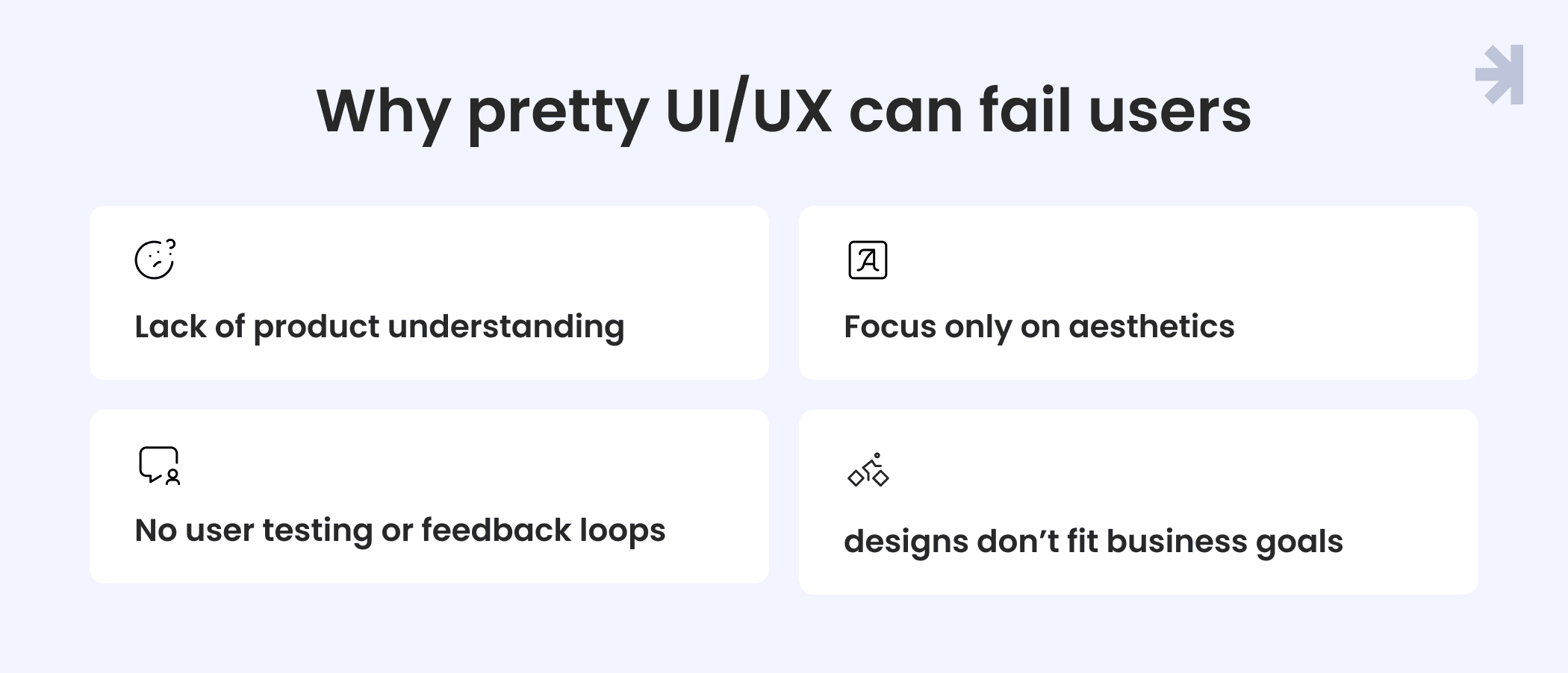
Even the most visually appealing UI/UX design can fail if it doesn’t address real user needs. Common consequences include:
- Lack of product understanding – interfaces that don’t match user workflows can reduce task completion rates by up to 40%; data-driven design ensures that every design element serves a purpose based on real-world data insights.
- Focus only on aesthetics – prioritizing visuals over usability can halve user retention or engagement over the first month; optimized design can increase conversion rates by up to 200%, and better UX can boost them by up to 400%.
- No user testing or feedback loops – skipping usability testing increases the chance of usability issues, leading to 30-50% more support requests; solving usability issues during the design phase is up to 100x cheaper than fixing them after a product's release.
- Difficulty implementing designs that don’t fit business goals – designs that are hard to implement can delay releases by several weeks, impacting business objectives and revenue; intuitive UX translates into higher conversion and user satisfaction rates.
These issues show that UI/UX design must be grounded in user research, usability testing, and alignment with business goals. Only then can interfaces deliver a seamless user experience, higher user satisfaction, and measurable business results.
What effective UI/UX design looks like in practice: Tiro.health
The gap between visually polished design and design that actually works shows up most clearly in complex products – platforms where multiple user types need to accomplish different goals within the same system, under real time pressure.
Tiro.health came to MagicFlux with exactly that problem. They were building a medical documentation platform that had to serve three fundamentally different users: junior nurses creating complex medical forms, doctors completing them during patient care, and administrators managing the entire operation. The existing product had been designed to look clean and organized. But it treated all three roles identically – one interface, one set of workflows, one interaction model for users with completely different needs and mental models.
The result was a textbook case of pretty over effective. Clinically trained users found the interface logical on the surface but slow and friction-heavy in practice. Nurses couldn't build forms without developer support. Doctors were double-checking AI suggestions manually because the interface didn't communicate what the AI was doing or how confident it was. Admins were managing workarounds rather than using the system as intended.
Our process started where effective design always starts: with the users, not the screens. We ran structured interviews with clinical staff, mapped real workflows across all three roles, and identified the specific points where the interface was creating friction rather than removing it. What we found repeatedly confirmed what the article above describes. The design had been optimized for how the product looked in a demo, not how it performed in daily use.
From that research we designed two distinct core experiences sharing one design system: a drag-and-drop form builder for nurses and admins built around templates, conditional logic, and presets that removed the need for developer involvement; and a keyboard-first form completion experience for doctors with inline AI assistance that made suggestions visible, explained confidence levels clearly, and made it easy to accept, edit, or override without breaking flow.
The outcomes were measurable and directly relevant to the cost of getting design wrong:
- Doctors completed medical forms up to 20% faster, recovering time that had been lost to interface friction
- Junior staff reduced form creation time by approximately 30%, eliminating a category of developer dependency entirely
- A shared WCAG-compliant design system reduced development time by around 25% and removed an ongoing accessibility support burden
None of these results came from making the product look better. They came from understanding how each user actually worked and designing around that reality.
Read the full Tiro.health case study
How to make design work: From pretty to effective
Turning pretty UI/UX design into effective solutions requires actions that focus on user expectations and client goals. Teams can achieve this by:
- Conducting targeted user research and interviews – understanding user behavior and pain points ensures that designs solve real problems and meet actual needs
- Following a structured UX process – moving systematically from discovery to wireframes, prototypes, testing, and final handoff helps catch usability issues early and keeps the project aligned
- Running iterative usability testing and validating designs – testing with the target audience ensures the interface is intuitive, reduces confusion, and improves overall user satisfaction; a well-designed user interface creates an emotional connection with users, leading to increased engagement.
- Aligning design with business goals and measurable KPIs – designs that support business objectives, such as engagement, adoption, or conversions, make the product valuable for both users and stakeholders
- Maintaining transparent communication and feedback loops – sharing updates and design decisions with clients keeps everyone on the same page and prevents misunderstandings; the design process should be collaborative, incorporating client feedback throughout the project.
By focusing on these practices, UI/UX design becomes more than just visually appealing. It creates smooth user experiences, improves user interaction, and increases engagement that truly delivers value to both users and the business.
In our projects, the single most common source of design rework is assumptions made before research was completed. Teams that invest two weeks in structured user interviews at the start of a project consistently avoid the kind of mid-project pivots that cost four to six weeks later. The research phase doesn't slow projects down, skipping it does.
Measuring success beyond looks
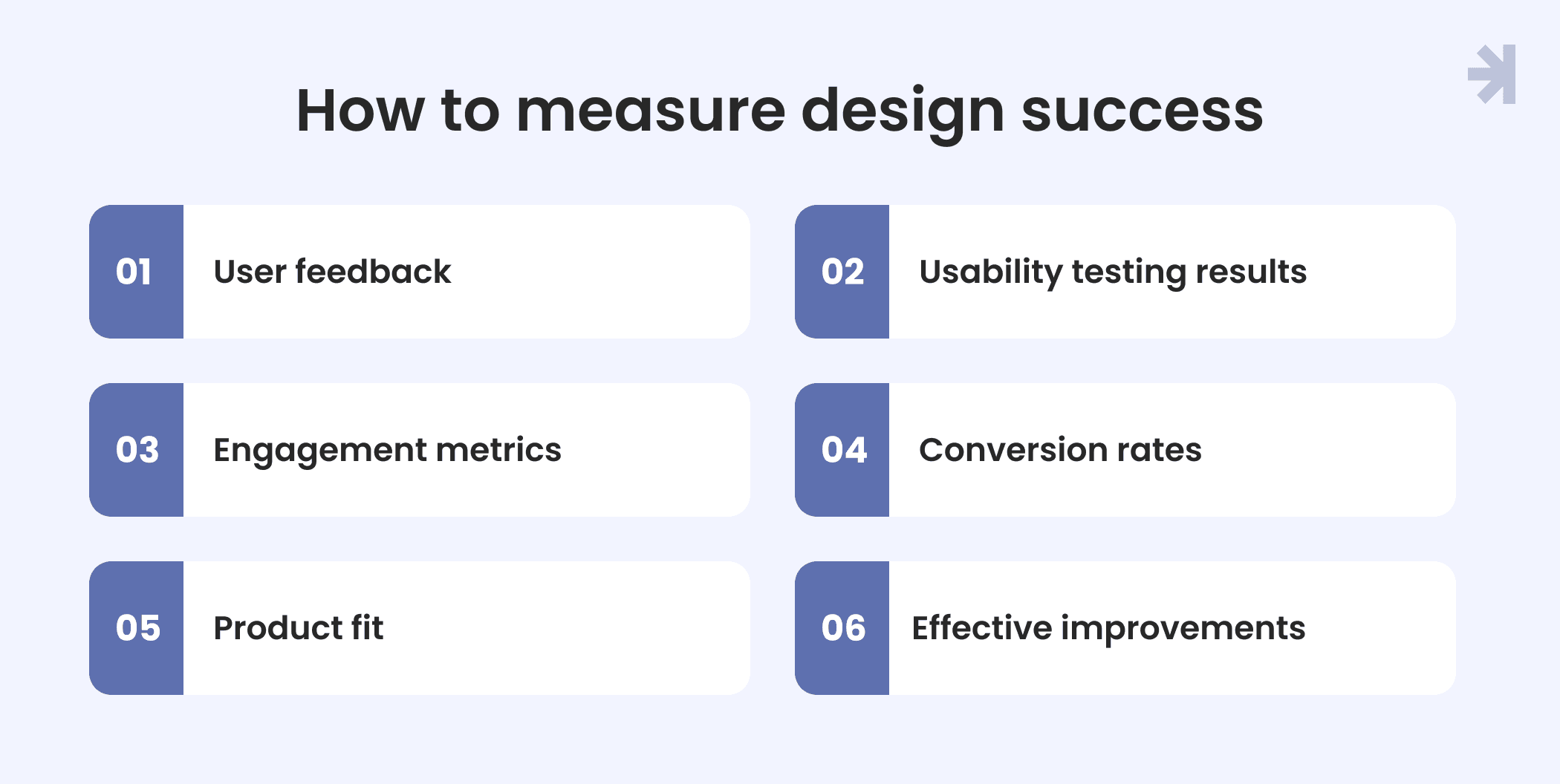
Design that works has to be provable. Not just in how it looks during a stakeholder presentation, but in how it performs when real users interact with it under real conditions. These are the metrics we recommend clients track to understand whether a UI/UX investment is actually delivering:
Task completion rate and time-on-task
The most direct measure of whether an interface works. Can users complete the core actions the product was designed for, and how long does it take them? A redesign that reduces time-on-task for a frequently used workflow by even 15% compounds into significant efficiency gains across a user base. If completion rates are low or task times are high, the interface has a problem regardless of how polished it looks.
Error rate and support ticket volume
How often do users make mistakes, get stuck, or need help? Rising support tickets for specific features are one of the most reliable early signals of a UX problem. Tracking error rate before and after a design change gives a concrete, defensible measure of improvement that resonates with both product and engineering stakeholders.
System Usability Scale (SUS) scores
A standardized 10-question survey that produces a usability score between 0 and 100. It's fast to administer, easy to repeat across versions of a product, and gives teams a consistent benchmark for tracking usability over time. A score above 68 is considered above average. Most products with significant UX debt score considerably lower before a structured redesign process.
Feature adoption rate
Are users actually using what was built? Low adoption of a feature that required significant development investment is almost always a UX problem – either the feature is hard to find, hard to understand, or doesn't map to how users think about the task it was designed to support. Tracking adoption before and after a UX intervention gives a direct measure of whether the design change worked.
Design-to-development friction
How many clarification requests does the engineering team raise during implementation? How many design decisions get changed during development because they weren't feasible or weren't specified clearly enough? This is a metric most teams don't track formally but should. High friction at handoff is expensive, delays releases, and often signals that the design process didn't involve engineering early enough.
Post-launch retention and return rate
Users who find a product genuinely easy to use come back. Tracking return rate and session frequency after a significant UX change gives a longer-term view of whether the design is holding up in real conditions beyond the novelty of a new interface.
Tracking these metrics before and after a design engagement gives product teams the evidence they need to justify UX investment, prioritize future improvements, and have productive conversations with stakeholders about what the design is actually delivering.
Final takeaways: Design is about impact, not just looks
Beautiful UI/UX design is important, but it should never come at the expense of usability or client goals. Good design solves user problems, creates intuitive interfaces, and supports seamless user experiences.
Clients recommend agencies that understand this balance and deliver measurable results. Successful UI/UX design is not just visually appealing. It drives engagement, enhances user satisfaction, and contributes to business growth.
Work with a UI/UX team that measures results, not just reactions
Most clients who come to MagicFlux have had the same experience: a previous design that looked great in a presentation and underperformed in production. Interfaces that passed stakeholder review but confused real users. Products that were polished but not effective.
Our process is built around preventing exactly that. From the first research session through to final handoff, every decision is grounded in how real users think and what the product actually needs to achieve.
See how we work See it in practice
If you're looking for UI/UX design that delivers measurable results, not just a beautiful output, let's talk.

What makes UI/UX design effective?
Effective UI/UX design services solve user problems, address the needs of different user groups, and create clear user journeys. They combine intuitive interfaces, thoughtful visual design, and industry expertise to improve the product’s digital presence and ensure it delivers value for both users and the business.
How do you measure UX design success?
Success is measured through usability testing, feedback from users, engagement metrics, and whether the design meets business objectives. Real user adoption and smooth interactions show that the design works.
What is user-centered design and why does it matter?
User-centered design focuses on understanding user needs, behavior, and pain points. It makes sure that UI/UX design is intuitive, accessible, and valuable for the target audience.
How can agencies improve usability while keeping design aesthetic?
Agencies can improve usability by conducting user research, understanding user needs, and designing clear user flows. Combining these insights with thoughtful visual design ensures interfaces are both attractive and easy to use, supporting user satisfaction and engagement.
Why is client communication important in the design process?
Clear communication ensures alignment between the design team and stakeholders. Sharing progress, explaining decisions, and incorporating feedback prevent misunderstandings and support better business outcomes.