


If you run product or design for a healthtech company selling into the EU, you've probably heard of the European Accessibility Act by now. You may have also assumed it doesn't apply to you, because healthcare isn't one of the sectors the law names directly.
That assumption is worth checking. The EAA doesn't call out healthcare as its own category, but it reaches most consumer-facing digital health products anyway, through the categories it does name: e-commerce, consumer software, and mobile apps. A patient portal with paid plans, a telehealth booking flow, or a subscription-based health app can all fall inside its digital accessibility requirements even though "healthcare" never appears in the text.
This is where a lot of healthtech teams underestimate their exposure. They read the sector list, don't see their industry named, and move on. But the EAA was built around how a product functions, not what industry it belongs to. A booking flow is a booking flow whether it sits inside a bank's app or a clinic's app. And accessibility gaps that would get flagged in a retail checkout get flagged the same way in a patient checkout.
Enforcement has been in effect since June 28, 2025, and 2026 is the year it starts to have teeth. Regulators across EU member states are ramping up audits, and the first EAA-related legal cases have already reached court. For healthtech teams designing digital services for European users, accessibility is no longer a nice-to-have. It's a design requirement with real legal risk attached if it's ignored, and, separate from the legal risk, building for screen readers, assistive technologies, and a wider range of users simply makes good business sense.
This article breaks down what the EAA actually requires, where healthcare products get pulled into scope, and what accessible design looks like in practice for patients, clinicians, and the admins who support both.
Key takeaways
- The EAA doesn't name healthcare directly, but subscription apps, patient portals, and booking or checkout flows are often in scope through its e-commerce and digital services provisions.
- Enforcement started in June 2025, and audits and legal action are increasing through 2026, raising real legal risk for non-compliant digital platforms.
- WCAG 2.1 Level AA success criteria form the technical backbone of EU accessibility requirements, so meeting them is a practical starting point for any web accessibility effort.
- Accessible design is not just a technical checklist. It changes how forms, error messages, navigation, and multi-role interfaces need to be designed so users can actually complete tasks.
- Treating accessibility as a design principle from the start, not an audit fix after launch, is cheaper, more durable, and just makes good business sense.
Understanding the EAA: From content accessibility guidelines to alternate versions for healthcare products
The European Accessibility Act, formally Directive (EU) 2019/882, is an EU law that sets accessibility requirements for a range of consumer products and digital services. It aims to remove the patchwork of different national accessibility rules that used to exist across member states, replacing them with one shared technical standard.
The law names specific sectors it covers directly:
- E-commerce
- Banking
- E-books
- Telecommunications
- Transport
- Consumer computer hardware and operating systems
Healthcare isn't on that list.
That doesn't mean healthcare products sit outside digital accessibility requirements. It means the question isn't "Does the EAA cover healthcare?". It's "Does my product function as e-commerce or as a covered digital platform in a way the EAA reaches?". For most digital health products with a commercial front end, mobile app, or online booking flow, the answer is often yes.
The EAA also doesn't spell out a page-by-page checklist of specific technologies to use. Instead, it points to EN 301 549 as the technical standard for demonstrating compliance. That standard incorporates the Web Content Accessibility Guidelines, specifically WCAG 2.1 Level AA, which brings a few things worth knowing:
- Its success criteria are testable, so compliance isn't left to interpretation. A form field either has a proper label or it doesn't.
- It covers web content, mobile apps, and mobile applications built on top of them, not just desktop websites.
- It sets a shared bar across digital spaces, so the same standard applies whether a user is booking a doctor's appointment or checking a bank balance.
For healthtech teams, this is the practical takeaway. The EAA doesn't ask "Is this a healthcare product?". It asks "Does this digital service, app, or website meet the accessibility standards a consumer in the EU is entitled to?". Framing it that way makes the scope question much easier to answer honestly.
When your product is in scope: Assistive technologies, Electronic documents, and beyond
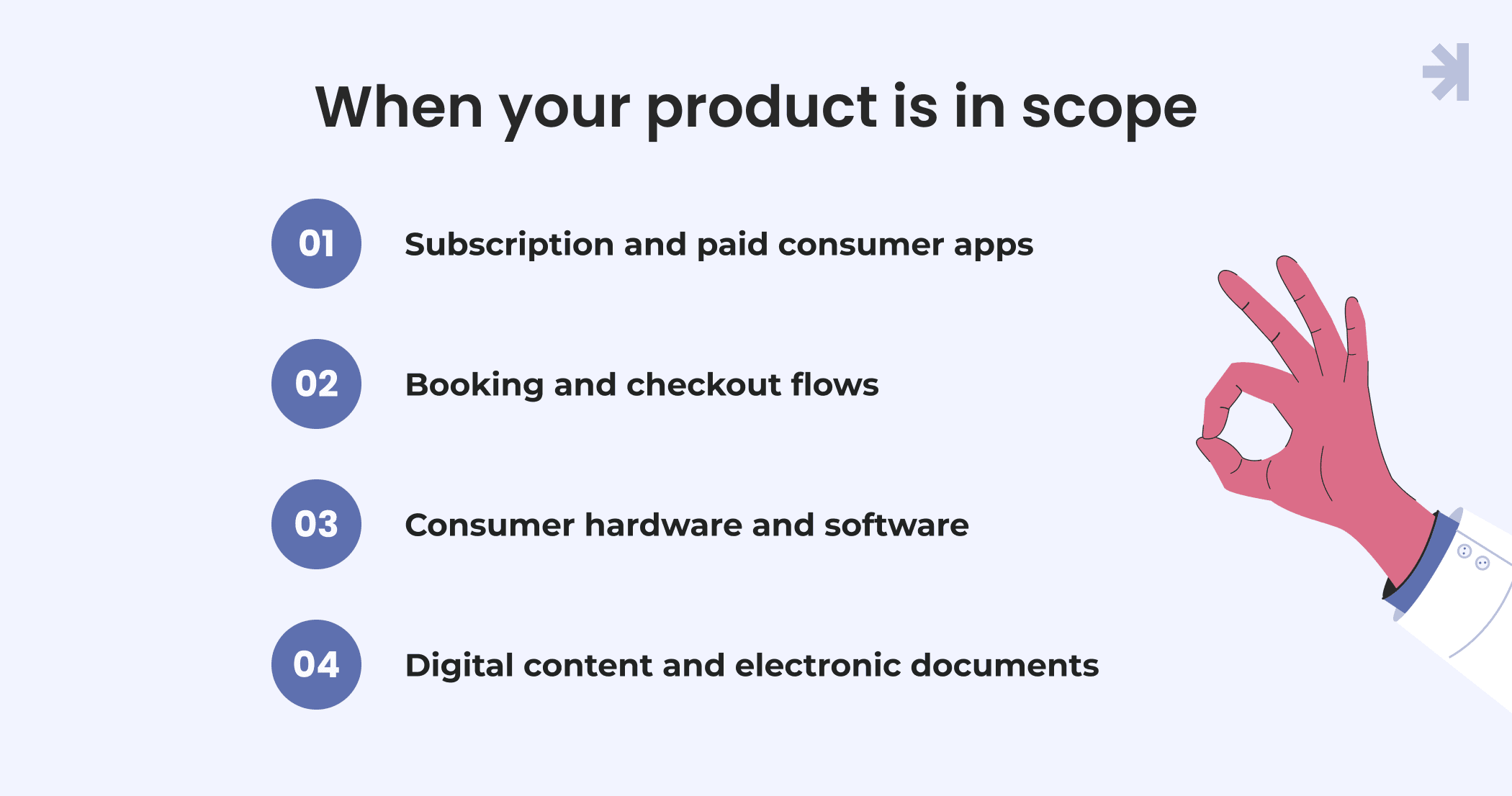
A few patterns show up consistently in how the EAA reaches healthtech products.
Subscription and paid consumer apps
If your product is a commercial, consumer-facing mobile app or web platform that involves an online transaction, such as a paid subscription or a booking that concludes a contract, it's likely treated as an e-commerce service under the EAA. This applies across mobile applications alike, and it holds even if the product is classified as a medical device under EU medical device regulation, since that classification doesn't create an exemption from accessibility requirements.
Booking and checkout flows
Anywhere a patient completes a transaction online, from scheduling a paid consultation to purchasing a device or subscription, that flow is held to the same web accessibility standard as any other e-commerce checkout. A booking form with poor programmatic access, meaning a screen reader can't correctly interpret its fields and labels, creates the same barrier for a patient as it would for a retail customer.
Consumer hardware and software
If your product runs on, or is delivered through, consumer computers, mobile devices, or tablets, the EAA's requirements for consumer hardware and software can apply to the user interface itself, not just the underlying website or web content.
Digital content and electronic documents
Patient-facing digital content, PDFs, forms, and other electronic documents distributed through the product often fall under the same accessibility requirements as the core interface. A conforming alternate version of a document, one built to be accessible even if the primary version isn't, can help close gaps here while a broader fix is in progress.
What's generally out of scope
Tools used only internally by staff, with no consumer-facing transaction attached, generally sit outside the EAA. Public sector health portals are covered by a related but separate law, the Web Accessibility Directive, which governs government services and public institutions rather than private, consumer-facing products. And very small businesses are exempt from EAA obligations entirely.
If your product sits somewhere in between, for example, a platform used by both patients and internal staff, it's worth getting a scope assessment rather than assuming either way. This article covers the design implications of accessible design, not the legal determination, and a compliance or legal team should confirm your specific obligations.
What compliance looks like in practice
The EAA doesn't lay out its own separate rulebook of specific technologies to use. Instead, it points to EN 301 549, the EU's harmonized technical standard for ICT accessibility, as the practical path to demonstrating compliance. EN 301 549 incorporates the Web Content Accessibility Guidelines in full, specifically WCAG 2.1 Level AA, for web content, mobile apps, and mobile applications, then adds requirements specific to hardware, digital content, and third-party content.
In practice, working toward WCAG 2.1 AA means addressing accessibility gaps across four areas:
- Perceivable content. Sufficient color contrast, text alternatives for non-text content, and captions for any video or audio on the web page. This is what makes digital content usable for users with visual impairments, vision disabilities, or low vision, not just users with visual impairments relying on screen readers.
- Understandable design. Consistent and predictable navigation, clear error identification, and instructions that help users understand what to do next without assuming prior familiarity.
- Robust, compatible code. Web content built so user agents, including screen readers and other assistive technologies, can interpret it correctly, with proper programmatic access to labels, roles, and states rather than visual-only cues.
WCAG 2.1's success criteria are deliberately testable success criteria, not general principles. That's a practical advantage for design and QA teams: a form field either has a proper label or it doesn't; a button either meets contrast requirements or it doesn't. There's little room for interpretation, which makes accessibility auditable in the same way functional bugs are.
A few compliance mechanics worth knowing:
- Where full accessibility isn't yet achievable for a piece of content, a conforming alternate version, an accessible version of the same material, can serve as a bridge while the primary version is being fixed. This should be treated as a temporary measure, not a permanent workaround.
- A new version of the technical standard, EN 301 549 v4.1.1, is expected to incorporate WCAG 2.2 AA once published. Teams designing toward WCAG 2.2 AA now will already be ahead of that shift.
- Assistive technology compatibility should be verified through real user testing, not just automated scans. Automated tools catch a portion of accessibility gaps, but they can't confirm whether a screen reader user can actually complete tasks like booking an appointment or reading a lab result.
Getting this right isn't only about closing legal risk. Accessible websites and accessible content create equal access and equitable access for a meaningfully larger share of users, which is its own case for prioritizing this work early rather than retrofitting it later.
Designing for EAA compliance, not just passing an audit
There's a meaningful difference between a product that technically passes an accessibility audit and one that genuinely improves usability for people with disabilities. Healthcare products carry extra weight here because the people using them are often already dealing with stress, illness, or reduced capacity, and the interface is standing between them and something that matters: an appointment, a diagnosis, or a medication schedule.
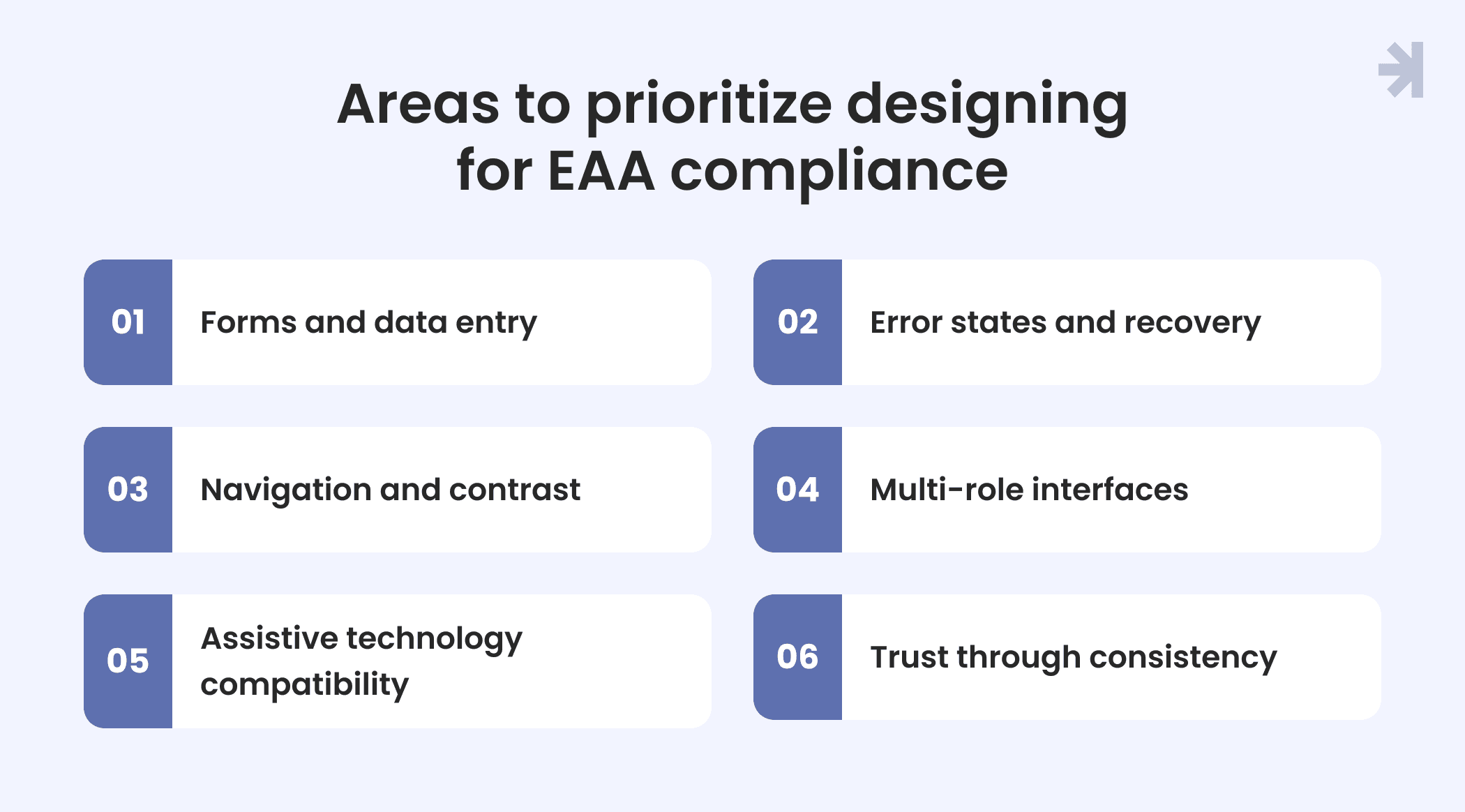
A few areas worth prioritizing early:
- Forms and data entry. Health-related forms tend to be long and detail-heavy. Every field needs a clear label, a specific and actionable error message, and enough time for someone to complete it without a session timing out mid-task. This matters as much for a nurse entering patient data as it does for a patient booking an appointment. Poorly labeled forms are one of the most common accessibility gaps flagged during user testing and one of the easiest to fix early in design rather than after launch.
- Error states and recovery. In clinical and administrative contexts, an unclear error message isn't just annoying. It can lead to a missed dose, a wrong entry, or a lost booking. Error messages should say exactly what went wrong and what to do next, not just flag that something is invalid, and they should be exposed in a way screen readers announce immediately rather than requiring the user to hunt for them on the web page.
- Navigation and contrast. Predictable navigation across digital spaces reduces cognitive load for every user. Sufficient color contrast, tested against WCAG 2.1 success criteria at Level AA, helps users with visual impairments, low vision, and other vision-related needs read content without strain, and it benefits fully sighted users in bright rooms or on low-quality screens too.
- Multi-role interfaces. Healthcare products frequently serve more than one type of user in the same system: patients, clinicians, and administrators, each with different tasks and different levels of urgency. Accessibility requirements need to be designed into every role's experience, not just the patient-facing interface. A clinician working through an EHR under time pressure needs the same keyboard operability and clear error handling as a patient booking a visit from a mobile app.
- Assistive technology compatibility. This goes beyond basic screen reader support. It includes making sure custom components common in health scheduling flows, like calendar pickers or multi-step wizards, are built with proper semantic structure so user agents and assistive technologies can interpret them correctly. Testing with users with visual impairments and users of other assistive technologies surfaces gaps automated scanners miss entirely.
- Trust through consistency. Consistent patterns across mobile apps reduce the mental effort required to complete tasks, which matters for every user but especially for people managing a health condition alongside everything else in their life. Accessibility and trust reinforce each other here: web content that's easy to operate is also content people trust to handle something as sensitive as their health data.
Designing this way from the start does more than reduce legal risk. It closes real accessibility gaps for patients and staff who'd otherwise be locked out of care, which is the actual point of equal access and equitable access as design goals, not just compliance ones.
Where MagicFlux's approach fits
Accessible design works best when it's part of the design process from the start, not a remediation pass after a product is already live. That means accessibility requirements built into design system components, contrast and structure checks built into design reviews, and user testing that includes people with low vision and other disabilities rather than treating accessibility standards as a separate audit step tacked onto the end.
This is close to how we approached the Tiro.health project. The platform serves doctors, nurses, and administrators through one system, each with different workflows and different points where clarity and speed genuinely affect patient care. Designing for three distinct roles inside one product meant building interaction patterns that stayed consistent and predictable across mobile apps alike, which is the same underlying discipline that inclusive design asks for: clear structure, effective communication, and a user interface that doesn't assume a single way of interacting with it.
That approach reflects a broader principle worth applying to any healthtech product working toward the web content accessibility guidelines: accessible websites aren't built by patching in fixes once an audit flags inaccessible websites or accessibility gaps. They're built by treating accessibility standards, including WCAG 2.1 Level AA success criteria, as part of the design requirements from day one, the same way performance or security requirements would be.
For teams still early in this process, even small structural choices, like making sure content works correctly with user agents and screen readers, or making sure every interactive element has a clear, programmatically available label, go a long way toward closing the gap between "We passed an audit" and "We've actually improved digital accessibility" for the people using the product.
Conclusion
The European Accessibility Act doesn't mention healthcare by name, but that's not the same as healthcare products sitting outside its reach. Subscription health apps, patient portals with paid plans, and booking flows are commonly caught by the law's e-commerce and digital services provisions, and enforcement is only getting more active through 2026.
For product and design teams, the practical response isn't to wait for a legal team to flag a problem. It's time to start treating WCAG 2.1 Level AA and EN 301 549 as baseline design requirements now, the same way performance or security gets treated as non-negotiable from the start of a project. Accessible design also isn't just a compliance exercise. It closes real gaps for patients, clinicians, and admins who'd otherwise struggle to complete basic tasks, which is the actual outcome worth designing for.
Ready to build inclusive design into your mobile app?
If you're not sure whether your product falls in scope or you already know it does and want a clear-eyed view of where your current UX would fall short, an accessibility-focused UX audit is a useful next step before it becomes a compliance issue.

Does the European Accessibility Act apply to healthcare apps?
Not automatically, since healthcare isn't a named category. But many healthcare apps fall in scope through the EAA's e-commerce or consumer software provisions, particularly subscription apps, paid bookings, or apps that run on consumer hardware. A legal or compliance review can confirm your specific product's status.
What's the deadline for EAA compliance?
The EAA became enforceable on June 28, 2025. Products and services already in use before that date have a transition period, and service contracts signed before the deadline generally need to comply by June 28, 2027. New products launched after June 2025 are expected to comply immediately.
Is WCAG 2.1 AA enough to improve accessibility for a healthcare product?
WCAG 2.1 Level AA, the content accessibility guidelines WCAG builds on, is the core of EN 301 549, the technical standard the EAA points to, so meeting it is a strong practical foundation for digital access. EN 301 549 adds some requirements beyond WCAG, covering areas like hardware and third-party content, so full compliance involves more than the web guidelines alone.
What happens if a healthcare product isn't compliant?
Enforcement and penalties vary by EU member state, and fines can be significant. Beyond financial risk, non-compliance means real barriers for patients and staff who rely on assistive technology, which runs counter to the core goal of a usable healthcare product in the first place.
How can design teams start improving accessibility right away?
Small, early changes make the biggest difference: clear form labels, testable success criteria in design reviews, sufficient contrast, and features built to assist users of screen readers and other assistive technologies. Building these in from the start is far less costly than retrofitting them after an audit.